How to Choose a Laptop for AI and Machine Learning Work (2026 Guide)
Choosing a laptop for AI and ML work in 2026? This guide breaks down the specs that matter most, from RAM to GPU, so you buy the right machine.
By Alex Mercer · 9 min read ·
Quick Answer: Prioritize GPU VRAM (16 GB minimum), 32 GB or more of unified or system RAM, and sustained thermal performance over clock speed or brand loyalty when selecting a laptop for AI and machine learning in 2026.
Introduction#
Choosing the right laptop for AI and machine learning work in 2026 means navigating a landscape of competing architectures, NPU-equipped processors, and GPUs with wildly different VRAM ceilings. Generic laptop buying guides rarely address what actually matters for professionals running local model inference, fine-tuning transformers, or preprocessing multi-gigabyte datasets. The hardware requirements for these workloads diverge sharply from what most "best laptop" lists recommend, and getting the specs wrong means hitting bottlenecks that cost hours per training run. This guide breaks down the exact decision criteria, from GPU memory to thermal headroom, that determine whether a machine can keep up with real AI workflows.
Key Takeaways
GPU VRAM is the single most important spec: 16 GB is the floor for quantized 7B-parameter models, 24 GB opens up 13B+ models, and comfortable fine-tuning.
NVIDIA's current-generation RTX 5080 (16 GB) and RTX 5090 (24 GB) laptop GPUs are the ones that actually clear the 16 GB floor; RTX 5070 and RTX 4080 both top out at 12 GB VRAM.
Apple's current M5 Pro (up to 64 GB) and M5 Max (up to 128 GB) unified memory chips give inference workloads far more accessible memory than any discrete laptop GPU, but they lack CUDA support.
32 GB of system RAM is the practical floor in 2026; 64 GB is worth it if the budget allows.
Sustained thermal performance under 30+ minutes of load matters more than peak burst benchmarks for anyone running multi-hour training or fine-tuning jobs.
Core Hardware Specs That Define AI-Ready Laptops#
The best laptop for machine learning is defined by a handful of specs that matter disproportionately more than they do for general productivity or even software development. Understanding how CPU, GPU, RAM, and storage interact under AI workloads prevents expensive mistakes and ensures you are buying capability, not marketing labels.
GPU and VRAM: The Single Most Important Decision#
For any laptop used in AI work, the GPU is the primary bottleneck. Model training and inference both rely on massively parallel compute, and the amount of VRAM determines the maximum model size you can load and run locally. Here is what to look for in 2026:
VRAM floor: 16 GB is the minimum for running quantized 7B-parameter models; 24 GB opens access to 13B+ models and more comfortable fine-tuning sessions.
NVIDIA vs. alternatives: CUDA remains the default for most ML frameworks. For the 16GB VRAM floor this guide recommends, target an RTX 5080 laptop GPU (16GB); for 24GB and access to larger models, the RTX 5090 laptop GPU is the current-generation choice. The RTX 5070 (12GB) and older RTX 4080 (12GB) fall short of the 16GB threshold for anything beyond lightly quantized 7B models.
Apple Silicon unified memory: M5 Pro and M5 Max chips (the current generation as of 2026) share a memory pool between CPU and GPU, giving you roughly 24 GB to 64 GB with M5 Pro and up to 128 GB with M5 Max for inference tasks, with Apple also claiming the new Neural Accelerator architecture in each GPU core meaningfully speeds up on-device training, not just inference.
NPU considerations: dedicated neural processing units accelerate specific on-device inference tasks but do not replace a strong GPU for training or general ML frameworks.
CPU, RAM, and Storage: Supporting the GPU#
The processor matters less for raw training speed than most buyers assume, but it directly affects data preprocessing, feature engineering, and compilation times. Intel's Core Ultra 200H series and AMD's Ryzen 9 HX chips both deliver strong multi-threaded performance suitable for these tasks and remain the mainstream choice in 2026 laptops, though Intel's Panther Lake and AMD's newer Ryzen AI chips are beginning to appear in flagship models as the year progresses. Apple's M5 Pro remains competitive thanks to its efficiency per watt, though CUDA dependency can be a dealbreaker for certain frameworks.
For RAM requirements, 32 GB is the practical floor in 2026. Local LLM inference with models like Llama 4 or Mistral variants can consume 20 GB or more of system memory alongside the VRAM allocation, and running Jupyter notebooks with large dataframes while training simultaneously will push past 32 GB regularly. Opt for 64 GB if budget allows. On storage, a 1 TB NVMe SSD with read speeds above 5,000 MB/s is the baseline. Datasets, model checkpoints, and virtual environments fill drives fast; 2 TB is worth the upgrade for anyone working with image or video data.
Choosing the Right Machine Category for Your Workflow#
Laptop specs for AI work only tell half the story. The machine category you choose, whether a mobile workstation, a gaming chassis, or an ultraportable, determines how those specs perform under sustained load and how practical the laptop is to carry to a co-working space or conference. The right category depends on where and how the work actually gets done.
Workstation vs. Gaming Laptop vs. Ultrabook: A Direct Comparison#
The difference between a gaming laptop and a regular laptop designed for professional work comes down to thermal design, driver certification, and build priorities. The table below compares the three primary categories against the criteria that matter for AI and ML developers.
Criteria | Mobile Workstation | Gaming Laptop | Ultrabook (Apple Silicon / Intel) |
|---|---|---|---|
Typical GPU VRAM | 16–24 GB (RTX 5000 Ada / Blackwell Pro) | 12–24 GB (RTX 5070/5080/5090) | Shared unified memory, 24–128 GB |
Sustained GPU TDP | High (vapor chamber cooling) | Medium-High (fan-heavy) | Low-Medium (fanless or minimal) |
Weight | 2.5 – 3.2 kg | 2.2 – 2.8 kg | 1.2 – 1.8 kg |
Battery Life Under Load | 2 – 3 hours | 1.5 – 3 hours | 6 – 12 hours |
CUDA Support | Full | Full | None (MLX / CoreML only) |
Best For | Heavy training, multi-day runs | Budget-conscious GPU access | Inference, preprocessing, portability |
The main takeaway: gaming laptops offer the best value per dollar of GPU performance, but mobile workstations sustain higher clock speeds for longer training jobs. Ultrabooks, especially Apple Silicon machines like the current M5 MacBook Pro lineup, excel at inference and data work where portability and battery life matter more than peak throughput. The MacBook vs Windows laptop comparison ultimately hinges on whether your toolchain requires CUDA or can run on MLX and CoreML.
Thermal Performance and Build Quality#
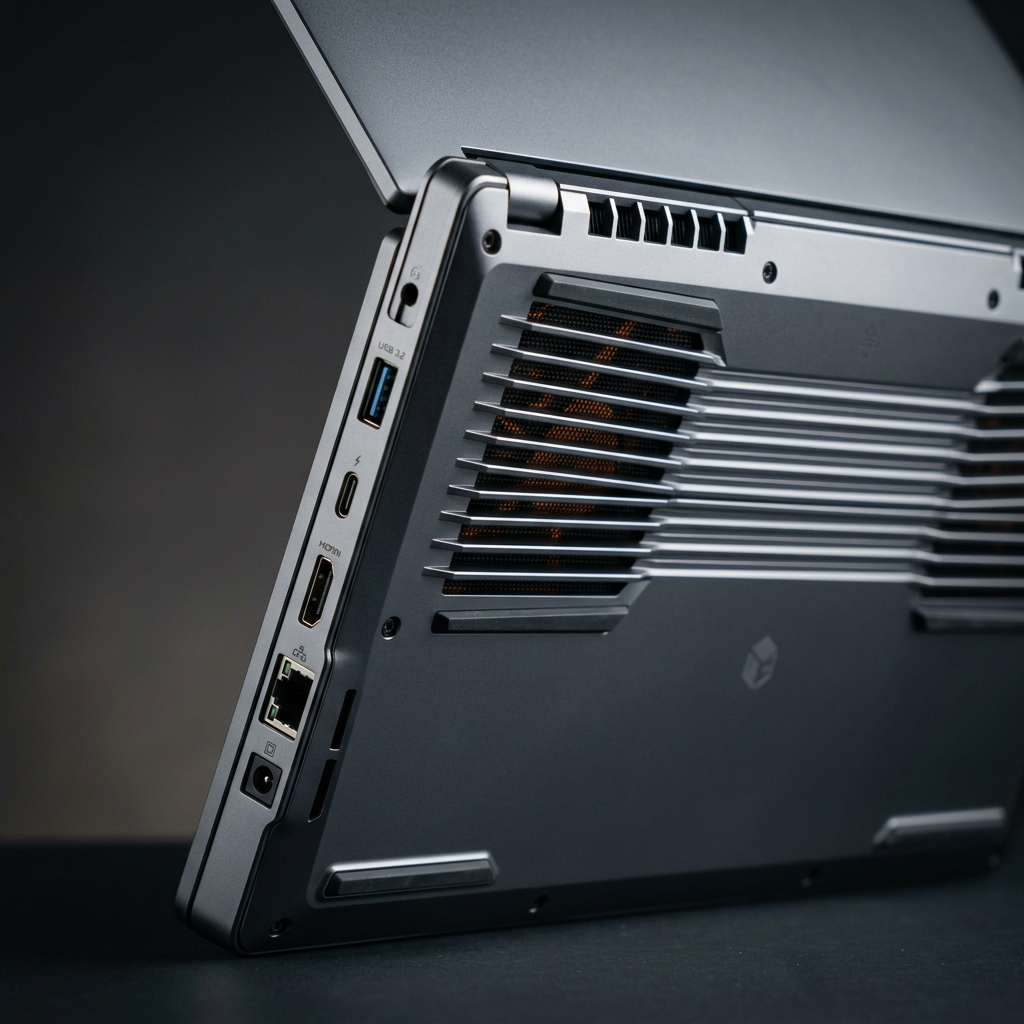
A laptop processor comparison on paper can look promising until thermal throttling cuts sustained performance by 30% or more. This is especially punishing for ML workloads that run for hours at full utilization. Machines with vapor chamber cooling (common in workstations like the Lenovo ThinkPad P16 or Dell Precision 7780) maintain higher sustained wattages than heatpipe-only designs found in most gaming laptops.
When evaluating thermal design, look for reviews that benchmark sustained GPU performance over 30+ minutes, not just peak burst scores. Chassis with rear exhaust vents and elevated intake designs consistently outperform side-vent configurations. If fine-tuning models locally is a core part of the workflow, thermal headroom is non-negotiable. A machine that throttles during a four-hour LoRA training session effectively wastes both time and electricity.
Practical Guidance for 2026 Buyers#
Narrowing down the best laptops for programming and ML work requires matching budget to realistic use cases. Not every developer needs a $4,000 workstation, and not every researcher can get away with an ultrabook. The following guidance aligns common workflows to the hardware tiers that actually serve them.
Matching Workflows to Budget Tiers#
Developers doing inference work primarily, running pre-trained large language models locally for testing or building applications, can work effectively on a machine in the $1,500 to $2,200 range. An M5 Pro MacBook Pro with 24 GB or more of unified memory, or an NVIDIA RTX 5070-equipped Windows laptop, both serve this tier well for lighter inference and preprocessing.
For professionals who train or fine-tune models on local hardware, the $2,500 to $4,000 range is where real capability begins. At this tier, targeting 16 GB or more of VRAM (RTX 5080 or RTX 5090 laptop GPU), 64 GB of system RAM, and a 2 TB NVMe drive is realistic. Researchers pushing larger experiments should still consider a local laptop paired with cloud GPU access for jobs that exceed what any portable machine can handle. Staying current on AI hardware developments through outlets like TechBriefed helps buyers time their purchases around meaningful generational improvements rather than incremental refreshes.
Where to Buy and What to Watch For#
For buyers in the United States, laptop deals that bundle extended warranties or include student and developer discounts (common from Lenovo, Dell, and Apple's refurbished store) can shave 10 to 20% off list prices without sacrificing specs. Avoid buying from third-party resellers who bundle machines with non-standard thermal paste or aftermarket RAM that may not meet the manufacturer's validated speed profiles.
One often-overlooked factor is display quality. ML work involves long hours staring at code, notebooks, and visualizations. A 16-inch panel with at least 2560x1600 resolution, 500+ nits brightness, and accurate color reproduction reduces eye strain and makes data visualization more legible. This is an area where the best work laptops for professionals consistently outperform gaming-oriented displays that prioritize refresh rate over color accuracy. Tools like AI coding assistants also benefit from larger screen real estate, since split-pane workflows with inline suggestions demand horizontal space.

Conclusion#
Selecting a laptop for AI and machine learning in 2026 comes down to disciplined prioritization: GPU VRAM first, then RAM, then thermal sustained performance, then everything else. The best laptop buying guide is the one that matches your actual workflow to the right hardware tier rather than chasing the highest specs across the board. Whether you end up with a CUDA-powered Windows workstation or an Apple Silicon ultrabook running MLX, the goal is the same: removing hardware as the bottleneck so you can focus on the work. TechBriefed continues to track real-world AI benchmark data that helps professionals make these decisions with confidence as the hardware landscape evolves.
Frequently Asked Questions (FAQs)#
How much RAM do I need for machine learning?#
32 GB is the practical minimum for most ML workflows in 2026, though 64 GB is recommended if you regularly work with large datasets or run inference alongside other memory-intensive processes.
What processor is best for AI work on a laptop?#
AMD Ryzen 9 HX and Intel Core Ultra 200H processors both handle AI preprocessing and compilation well on the Windows side, while Apple's M5 Pro and M5 Max deliver excellent efficiency for inference-heavy workloads and, per Apple's own benchmarks, meaningfully faster on-device training than the prior M4 generation.
Should I get SSD or HDD for a machine learning laptop?#
Always choose an NVMe SSD, since HDDs are far too slow for loading datasets, writing model checkpoints, and running virtual environments, and a 1 TB minimum with 5,000+ MB/s read speeds is the recommended baseline.
Is a MacBook good for machine learning in 2026?#
MacBooks with M5 Pro or M5 Max chips are excellent for inference and data preprocessing thanks to large unified memory pools (up to 128 GB on M5 Max), but they lack CUDA support, which limits compatibility with many popular training frameworks.
Gaming laptop vs. ultrabook for AI work: which is better?#
Gaming laptops offer better discrete GPU performance and CUDA support for training, while ultrabooks prioritize portability and battery life for inference and lighter preprocessing tasks.
What GPU specs do I need in a laptop for AI work?#
Target a minimum of 16 GB VRAM for running quantized 7B-parameter models locally, which means an RTX 5080 laptop GPU or higher; RTX 5070 and RTX 4080 both cap out at 12 GB and fall short of that floor. Go with 24 GB (RTX 5090) if you plan to fine-tune or work with 13B+ parameter models.
How long do machine learning laptops typically last?#
A well-specced ML laptop purchased in 2026 should remain capable for 3 to 4 years of productive use before VRAM and memory limitations begin to restrict compatibility with newer, larger model architectures.
About the author